

Workspaces
A workspace is the team container. Every board belongs to exactly one workspace, and every workspace has members, a plan, and a bill.
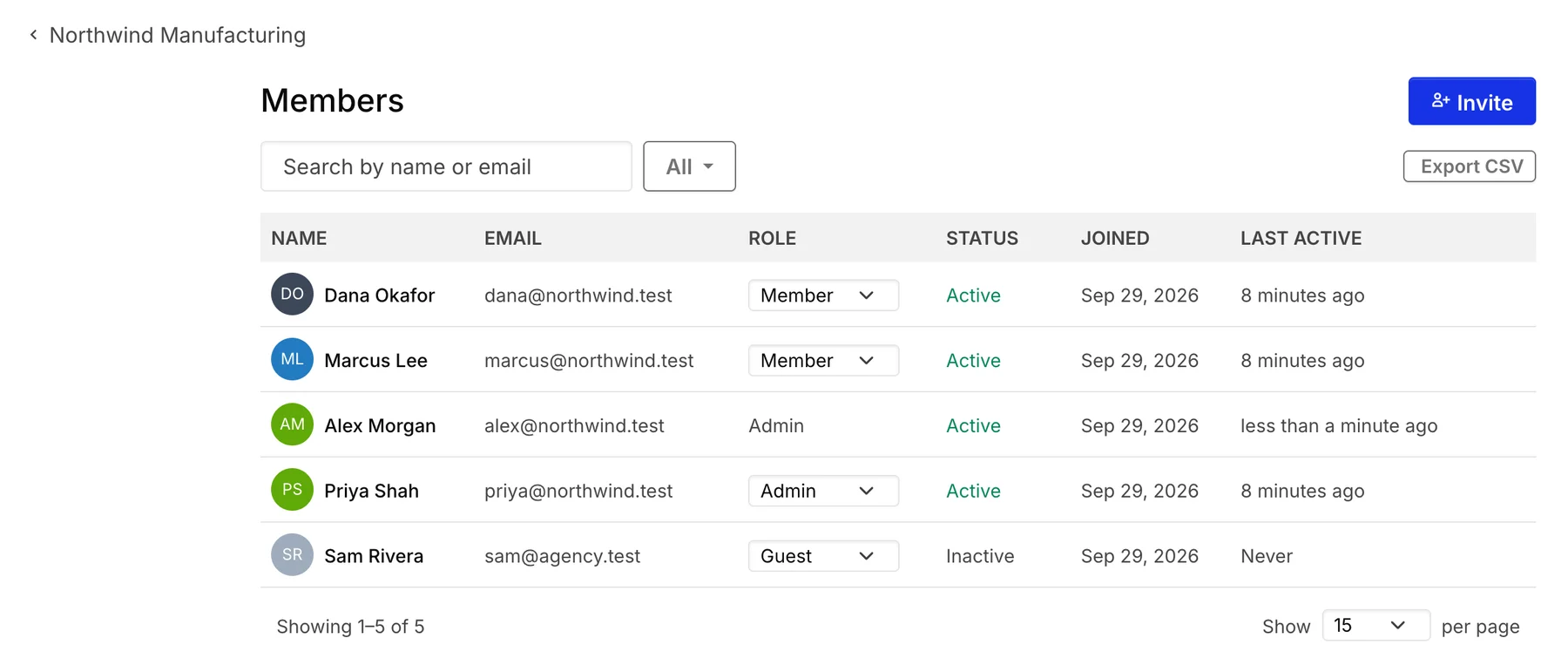
Admin manages, member builds, guest is scoped
Section titled “Admin manages, member builds, guest is scoped”Workspaces decide who’s on the team and what they can reach. There are three workspace roles (with an Owner tier above Admin for billing-sensitive actions):
- Admin — full control. Manages billing, settings, members, and SSO. Can act on any board in the workspace regardless of board-level permissions.
- Member — full participant. Can create boards, collaborate on shared boards, and use integrations.
- Guest — limited participant. Has access only to specific boards they’ve been invited to; doesn’t see the workspace’s other boards or members. Useful for clients, contractors, or stakeholders who shouldn’t see your full backlog.
The workspace is the billing and entitlements boundary. Plans, seat counts, feature gates (SSO, advanced integrations, MCP access), and audit logs are all workspace-level. Two workspaces are independent — different members, different billing, different boards.
Workspaces own tracker connections too. Once you connect ADO or Jira at the workspace, any board can opt in; credentials live in the workspace, so you don’t re-authenticate per board.