

Text Stickers
A text sticker is a free-floating piece of text on the canvas. Use stickers to annotate — section headers, callouts, notes to the team, labels for a region. Stickers are lighter than cards: no status, no tracker link, no description.
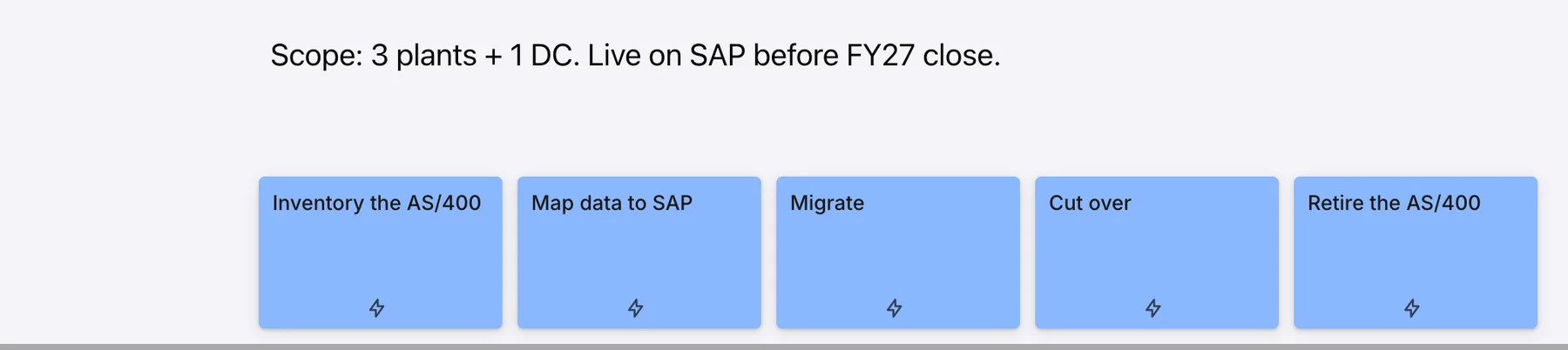
Text stickers support rich formatting (bold, italic, links, lists, multiple sizes). Drop one anywhere, type, format, drag to position. The font size is set when you edit and stays consistent as the canvas zooms — zoom in and the text appears proportionally larger; zoom out and it shrinks with the canvas. (This differs from cards, which have fixed pixel dimensions.) Text stickers can also be rotated — useful for vertical lane labels.
Emoji live inside text stickers. While editing a sticker, open the emoji picker in the formatting toolbar, choose one, and resize it like any sticker — handy for lightweight visual cues and labels. (Skin-tone variants aren’t supported. For emoji feedback on a card, use reactions instead.)
A text sticker is not a card. It doesn’t carry status, reactions, comments, or tracker links. If you want any of those, use a card. The distinction matters because cards participate in syncing, in outcome membership, and in the map type’s positioning rules; stickers don’t. A sticker on a kanban doesn’t belong to a column; a sticker on a story map doesn’t belong to a release.
A text sticker can be the endpoint of a connection — you can draw a line from a card to a sticker — but a sticker doesn’t author connections itself.