

Trackers
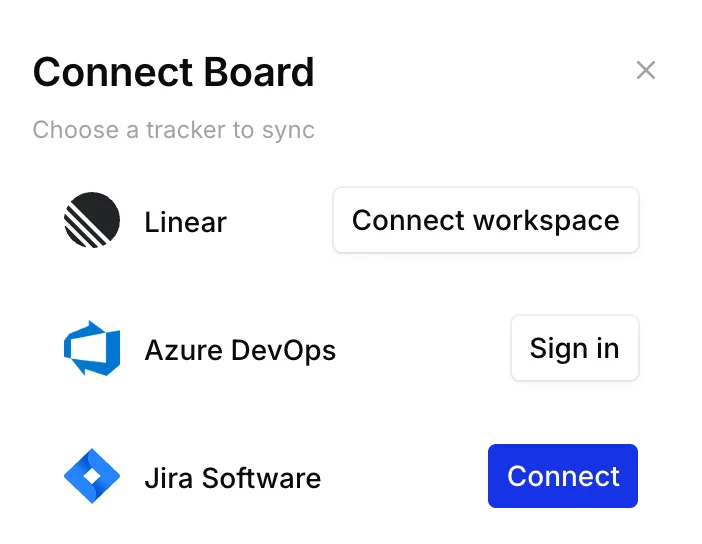
A tracker is where your team executes: Azure DevOps, Jira, Linear, Shortcut, or Trello. Connect a board to one and you can link its cards to tracker items, so a title changed in either place changes in both.
Coupled fields, decoupled position
Section titled “Coupled fields, decoupled position”A linked card is coupled to its tracker item on the fields that describe the work: title, description, status, and a few more depending on the tracker. Change one of those in either place and the other side follows.
A card’s position is decoupled. Where a card sits on the map, which slice it’s in, and what it’s next to never reach the tracker. Position is the plan, and planning means moving cards around. If every drag wrote to Jira, people would stop dragging, and the map would freeze into a picture of the backlog.
So you can pull a story out of the next release to see what ships without it, reorder a column, or regroup a whole map, and the tracker hears nothing. When a field changes, it syncs. When a card moves, it doesn’t.
Sync is also per card. Linking a board to a project doesn’t import the project or export the board. You choose which cards link to which items, and everything else on the map stays CardBoard-only.
How the connection maps
Section titled “How the connection maps”A connection has three levels:
| CardBoard | Connects to | How many |
|---|---|---|
| Workspace | A tracker account: an Azure DevOps organization, a Jira site, a Linear workspace, or a Shortcut workspace | Several of each, except Linear (one) |
| Board | One project (Azure DevOps, Jira), team (Linear, Shortcut), or Trello board | Exactly one per board |
| Card | One work item or issue in that project | Exactly one per card |
Different boards in the same workspace can connect to different projects, and even different trackers. A board without a tracker works normally. Its cards just don’t sync.
Two layers: the workspace connection and member identity
Section titled “Two layers: the workspace connection and member identity”Every integration has a workspace-level connection: the tracker account belongs to the CardBoard workspace, not to whoever set it up. It carries the updates coming in from the tracker, keeps them healthy, and shows up for admins in Settings → Integrations with its boards and status.
Writes are different. Every change CardBoard sends to a tracker is attributed to a person, so the tracker’s history shows who made it. How that identity is established depends on the tracker:
| Workspace connection | Identity on writes | |
|---|---|---|
| Azure DevOps | The workspace holds the organization and its per-project service hooks. CardBoard checks them daily and re-registers any that were deleted. | Each member signs in with their own Microsoft account, and the change is made as them. |
| Jira | Optional CardBoard app for Jira: a Jira admin installs it once and connects it to the workspace from its Get started page. Without it, updates arrive through webhooks registered with the connecting member’s account. | Each member signs in with their own Atlassian account, and the change is made as them. |
| Linear | One grant: a CardBoard admin approves CardBoard as an app on the Linear workspace. | Members work through the grant. New issues show “Name (via CardBoard)”, and CardBoard’s audit log records the member behind every write. |
| Shortcut | The workspace records each Shortcut workspace, and one outgoing webhook per Shortcut workspace, pasted in once by hand, carries updates to every connected board. | Each member adds their own Shortcut API token. |
| Trello | None beyond the boards: each connected Trello board gets its own webhook, registered automatically. | Each member adds their own Trello API key and token. |
So on Azure DevOps, Jira, Shortcut, and Trello boards, anyone who edits linked cards signs in to the tracker once. That sign-in is for attribution. It doesn’t create a separate connection per member.
What syncs
Section titled “What syncs”| Card field | Azure DevOps | Jira | Linear | Shortcut | Trello |
|---|---|---|---|---|---|
| Title | Both ways | Both ways | Both ways | Both ways | Both ways |
| Description | Both ways | Both ways | Both ways | Both ways | Both ways |
| Status | Both ways | Both ways | Both ways | Both ways | Both ways (the card’s list) |
| Acceptance criteria | Both ways | Not synced | Not synced | Not synced | Not synced |
| Assignee | Both ways | Both ways, when the person has accounts in both | Not synced | Not synced | Not synced |
| Size (story points) | Both ways | Both ways | Both ways (on the team’s scale) | Both ways (whole numbers) | Not synced |
| Parent (hierarchy) | CardBoard to Azure DevOps, and on import | On import | Both ways (sub-issues) | Not synced | Not synced |
| Work item type | Set when created | Set when created | Always an issue | Set when created | Always a card |
Each tracker page explains its rows, including the edge cases.
Never syncs, on any tracker: position, slice or column, connections between cards, color, shape, reactions, and comments. Labels and tags don’t sync either.
Statuses map automatically. CardBoard reads each project’s or team’s own workflow states and shows them in the card’s status menu, so you pick the same status names your team uses in the tracker. There’s no manual field or status mapping to set up.
When both sides change
Section titled “When both sides change”Edits push to the tracker as you make them, and tracker changes arrive through webhooks within seconds. The latest change to a field wins. CardBoard ignores tracker updates older than the last one it applied, so a delayed event can’t roll a card back.
If an item is deleted in the tracker, its card stays on the map and shows the item as deleted. CardBoard never deletes tracker items.
Who can edit linked cards
Section titled “Who can edit linked cards”Editing a linked card writes to your tracker, so it’s limited to people the tracker can hold accountable:
- You must be a workspace member. Guests can view, comment on, and react to linked cards, but can’t change them.
- On Azure DevOps, Jira, Shortcut, and Trello boards, you also need your own tracker account connected.
- Connecting a board to a tracker needs a paid plan. A workspace that downgrades to Free keeps its existing connections syncing.
See Permissions.
For day-to-day patterns (what to link, reorganizations, migrating off), see Working with your tracker.