The user story mapping tool built on a grid
Lay the journey across the top, hang the detail beneath it, and draw a line to slice each release. Then link the map to your backlog. What a card says stays in sync with the tracker; where it sits on the map stays your team's call. CardBoard is the original story mapping tool, built in 2012 by the people who defined the practice.
Comparing options? See how the best user story mapping tools stack up, CardBoard included.
Updated September 2026
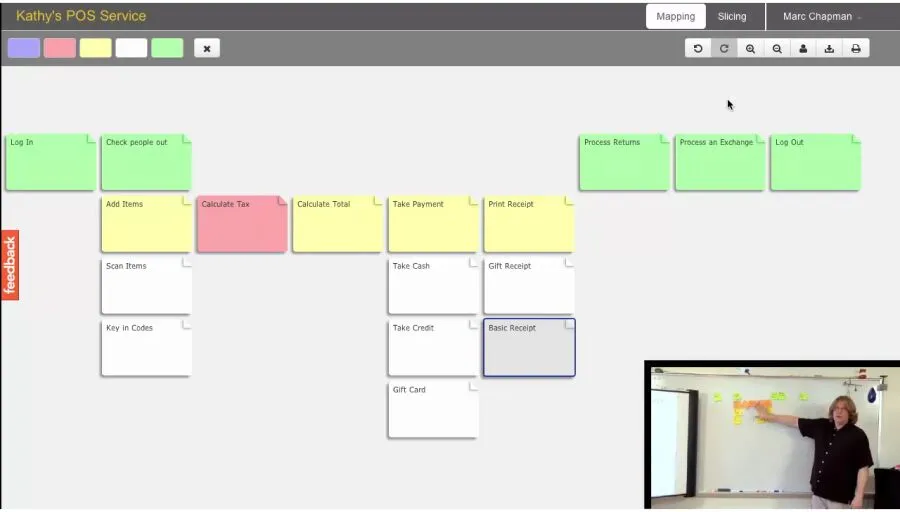
CardBoard is the original user story mapping tool, built in 2012 by DevJam founder David Hussman alongside Jeff Patton, who wrote the book on the practice. A user story map arranges work along the user's journey, not by status like a kanban board. In CardBoard, cards snap to a grid with the journey across the top and the detail beneath each step. A line across the map cuts a release slice, and each slice becomes an outcome. A journey traces one kind of user's path through the map. Cards sync both ways with Jira, Azure DevOps, Linear, Trello and Shortcut, so the map is still true after the workshop. Position never syncs, so rearranging the map never reorders the backlog.
Structure you can read at a glance
Drop a card and it snaps into a cell. The journey runs across the top and the detail hangs beneath each step, so everyone on the call reads the same columns you do. The map type you pick sets the grid: a story map, a process map and a kanban board each get the layout they need.
Freeform whiteboards like Miro and FigJam hand you dots on a canvas. You line cards up by eye, and the columns hold only as long as someone keeps nudging them. CardBoard is the notebook with lines.
Structure doesn't cost you the room. Everyone's cursor and selection show live, and you can follow a teammate around the map while they walk the journey.
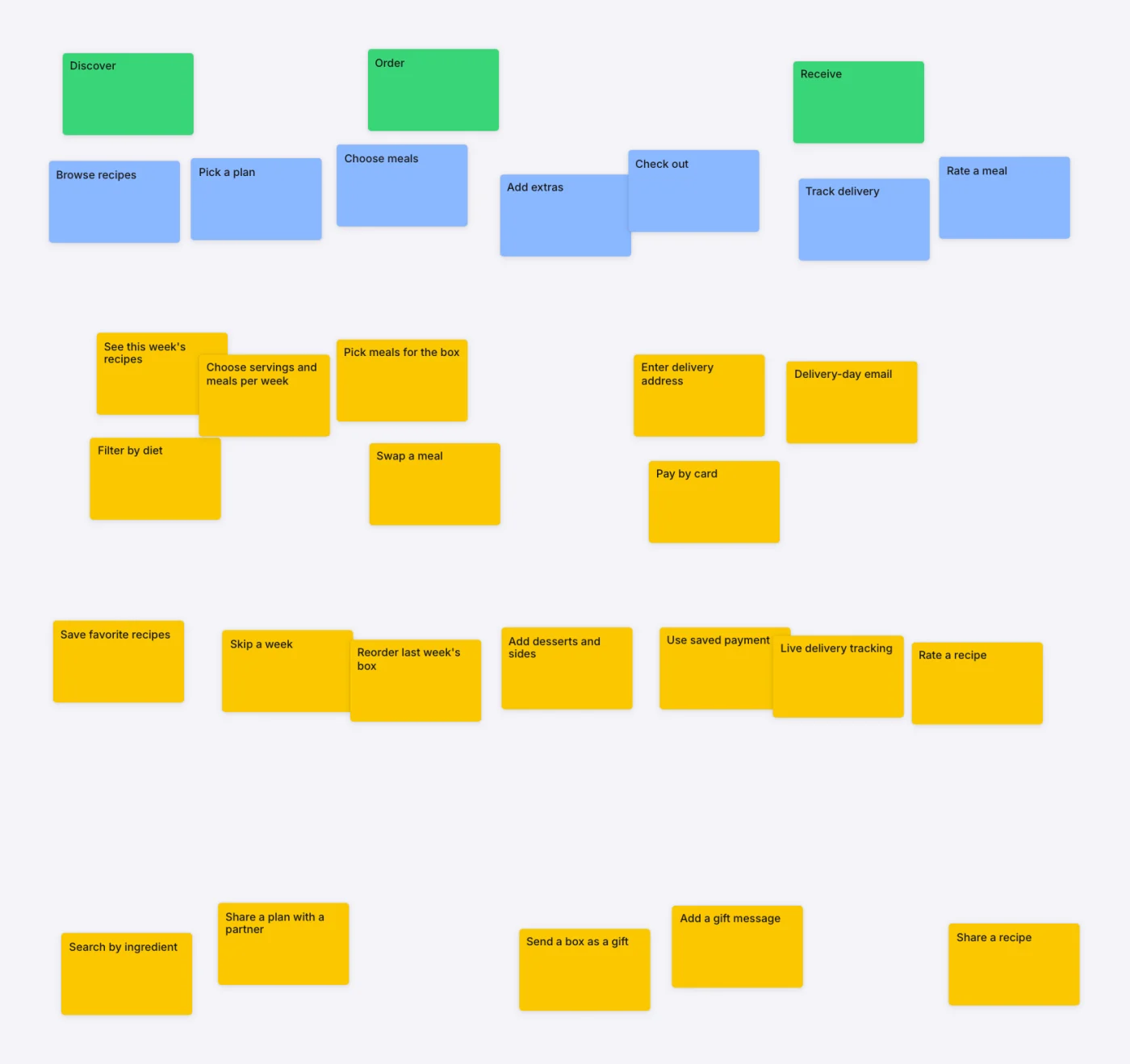
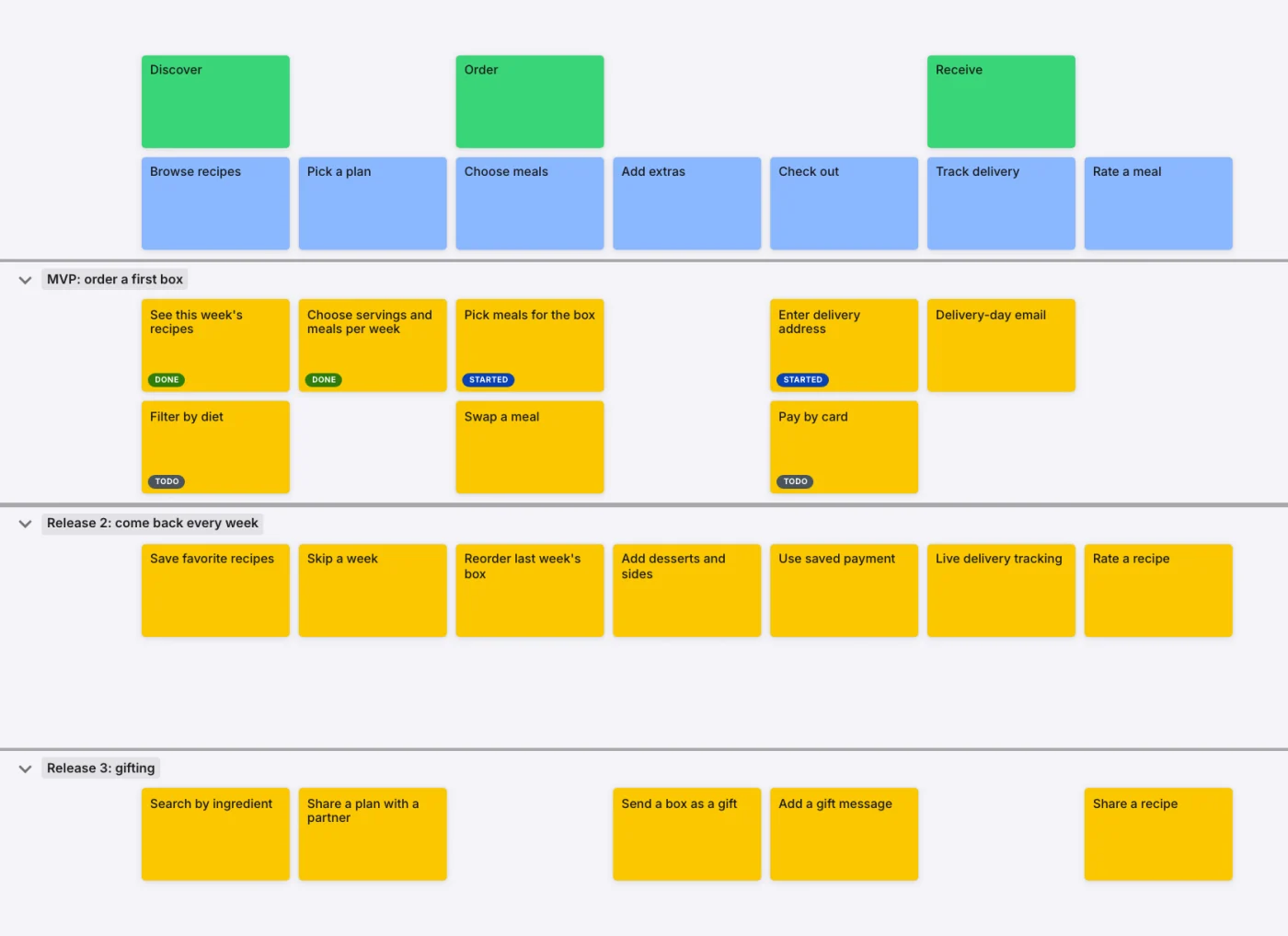
Grow the map without losing your place
Freeze the backbone and it stays pinned across the top while you scroll. Fifty cards down, you still know which step of the journey you're under.
When the team finds a missing step in the middle, drag a card between two columns and drop it. A line shows where the new column will open, and everything to its right slides over. Drag up or down inside a column to reorder by priority.
Decide what ships first with a line
Draw a line across the map and you've cut a release. Name the slice MVP, Release 2, or whatever your team calls it. A map that shows everything can't tell you what ships first. A sliced one can.
Collapse a slice when you only need the names. Drag it up or down when the order changes.
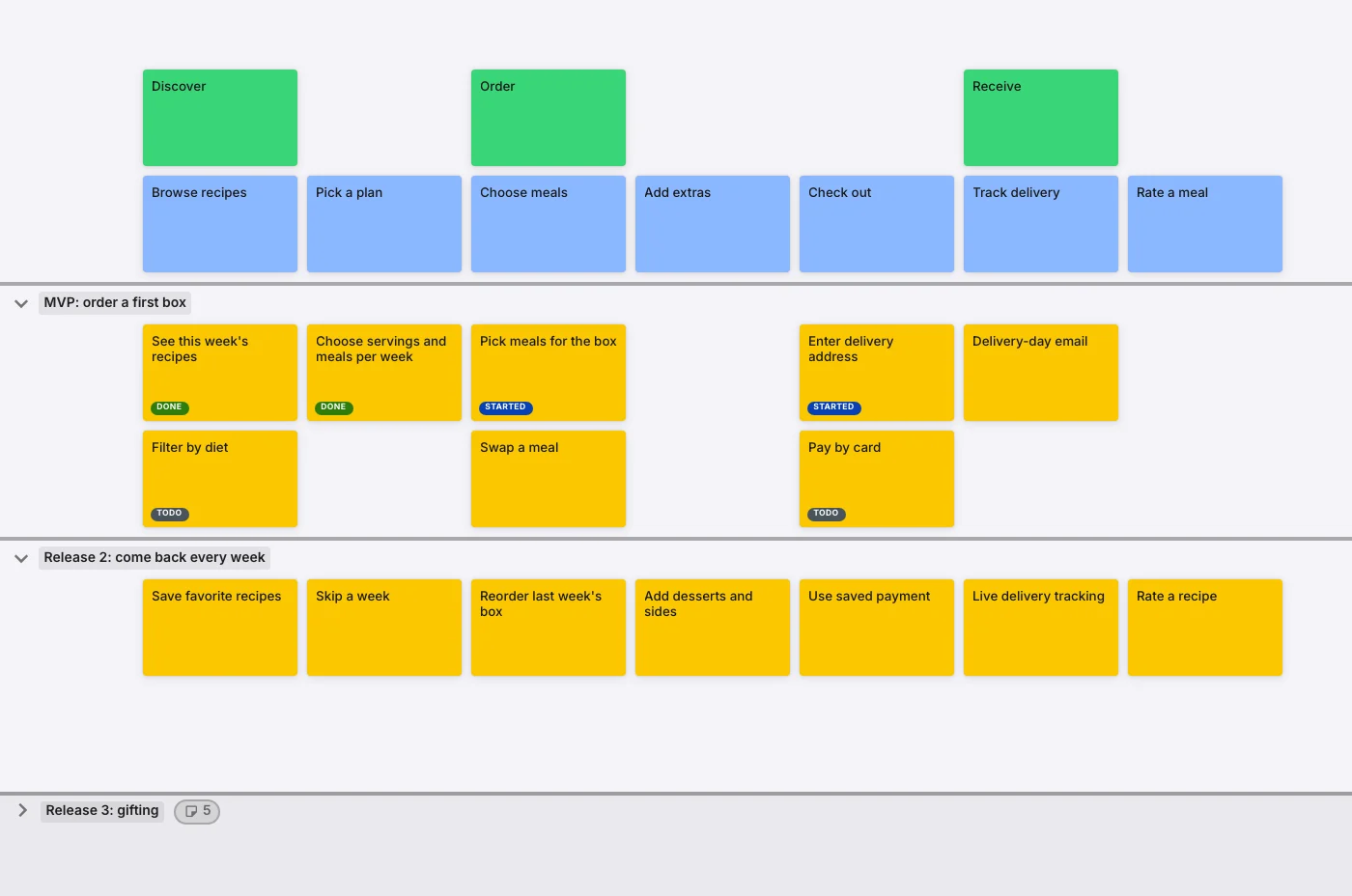
Plan by outcome, and by who gets there
Each slice is an outcome: what a user can finally do once it ships. Every card below the line belongs to it, with no tags and no filing. Where a card sits on the map is what puts it there.
Different users take different paths. A new customer checks out one way, a returning one another. Select the cards on one path, group them, and name it a journey. Nothing moves. One map shows both routes, and you can light up either one.
Leave the workshop with the backlog written
Connect your tracker and the map becomes the backlog. Push a card and the issue exists. Pull an issue in and the card exists. Nobody spends Friday retyping forty cards into Jira. Tracker sync comes with every paid plan.
How it works in each tracker: Jira, Azure DevOps, Linear, Trello and Shortcut.
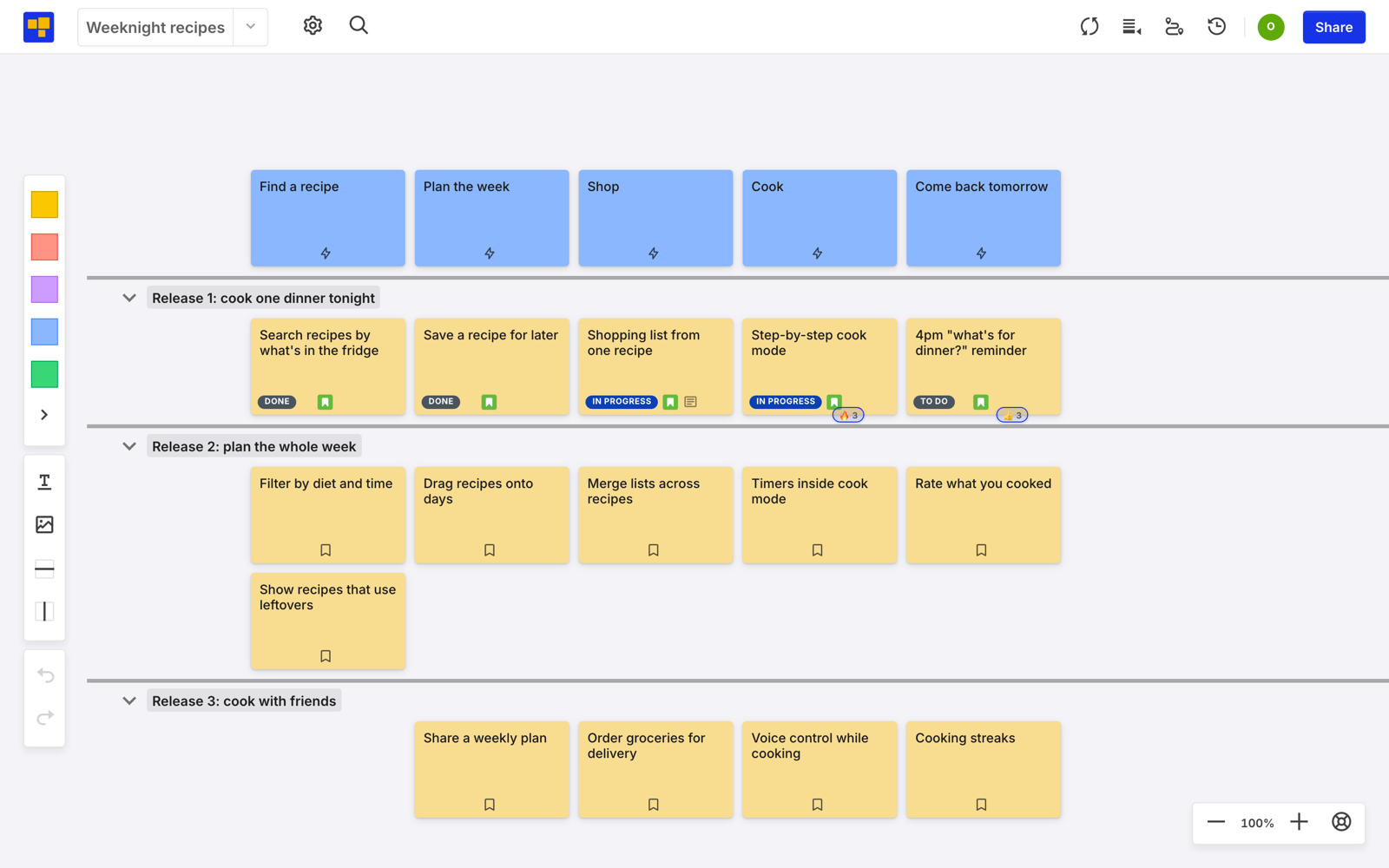
Rearrange the map. The backlog keeps up.
The map and the tracker share what a card says, never where it sits. A card's title, description and status sync both ways as they change. Close a ticket in Jira and the card shows it. Rewrite a card on the map and Jira gets the new words. Some trackers carry more, like assignee and story points. The field table lists them by tracker.
Move anything. Drag a card to another step or slice and the backlog order doesn't budge. Reprioritize in Jira and the map keeps its shape. Only your team decides where a card goes.
Most story maps die the sprint after the workshop: the backlog moves on and the map doesn't. This one moves with it.
Answer "why are we building this?" from the card
Open a card and the why sits next to the what: its description, its definition of done, and the discussion about it. Flag a card with a reaction when it needs follow-up.
When someone asks next month why a card made the MVP, the answer is on the card, not in a doc or a Slack thread nobody can find. An AI agent reading the map gets the why along with the what.
The original user story mapping tool
CardBoard works this way because the people who defined story mapping built it.
DevJam founder David Hussman built CardBoard in 2012 to put story maps on a screen. His friend Jeff Patton wrote the book that named the practice, and the two had been developing story mapping together since around 2009. An early CardBoard map, facilitated by Hussman, appears in Patton's User Story Mapping (p.117).
More on the lineage in the CardBoard story.
Teams that map in CardBoard.
CardBoard is way easier to use than Miro. I recommend it whenever we discuss planning tools — I've used it for years at a Fortune 100 insurance company.
The 'backbone' lets us drill into specifics without losing the big picture. My teams love working in CardBoard.
Most tools don't offer story mapping, which is a critical exercise in agile backlog grooming. CardBoard fills that gap.
Map your product's story in CardBoard.
Start free — no credit card. Guests are free. Add tracker sync when you upgrade.
Frequently asked questions
- What is user story mapping?
- User story mapping is a planning practice that arranges work along the user's journey instead of in a flat backlog: the steps a user takes run across the top, the detail sits beneath each one, and horizontal slices group the work into releases. It keeps the team focused on the outcome, not just the pile of tickets.
- Who created user story mapping and CardBoard?
- Story mapping was developed by Jeff Patton and David Hussman, who began exploring the ideas together around 2009. Patton wrote the book User Story Mapping; Hussman, founder of DevJam, built CardBoard in 2012 — the first tool made for the practice.
- How is a story map different from a kanban board?
- A kanban board runs left to right by status (to do, doing, done) — useful for tracking work in progress. A story map runs left to right along the customer's journey toward an outcome, with detail decomposed top to bottom. The story map's axis carries meaning about the user experience that a status column doesn't.
- Is CardBoard a free user story mapping tool?
- Yes. CardBoard has a free plan, and guests are always free. Paid plans add more boards, more members, and tracker sync.
- Which trackers does CardBoard sync with?
- Jira, Azure DevOps, Linear, Trello, and Shortcut. A card's title, description, and status sync both ways with each of them, and Jira and Azure DevOps also sync fields like assignee and story points. Where a card sits on the map never syncs, so rearranging the map is always safe. Tracker sync comes with every paid plan.
- Can AI agents work in the map?
- Yes. Because the structure is declared — grid, parent cards, slices, outcomes — an agent reads the shape of the work directly and can act inside the map instead of guessing from a screenshot.
- How is it different from a whiteboard like Miro?
- A general whiteboard is sticky notes on an infinite canvas. CardBoard is purpose-built for story mapping — the grid, slices, and outcomes are real structure, and the map syncs to your backlog, so it stays useful after the workshop.Full comparison →
New to the practice? Start with the complete user story mapping guide. Weighing your options? See how the best user story mapping tools compare.
Map your product's story in CardBoard.
Start free — no credit card. Guests are free. Add tracker sync when you upgrade.