A product roadmap template that doesn't promise dates
You’ve seen this happen, or you will. A slide in a sales deck says a feature ships in Q3, and a customer takes a screenshot. By Q3 the slide is a contract, and the feature is still a sticky note.
In 2012, Janna Bastow got tired of that. She invented the Now-Next-Later roadmap, because, as she put it, timeline roadmaps “insist on deadlines.” Now-Next-Later drops the dates and keeps the order. The near stuff is specific, and the far stuff is allowed to be vague, because it is.
That idea is the whole template. A product roadmap shows what you’re going to build and in what order, tied back to the strategy, so the rest of the company can plan around it. It shouldn’t pretend to know which Tuesday.
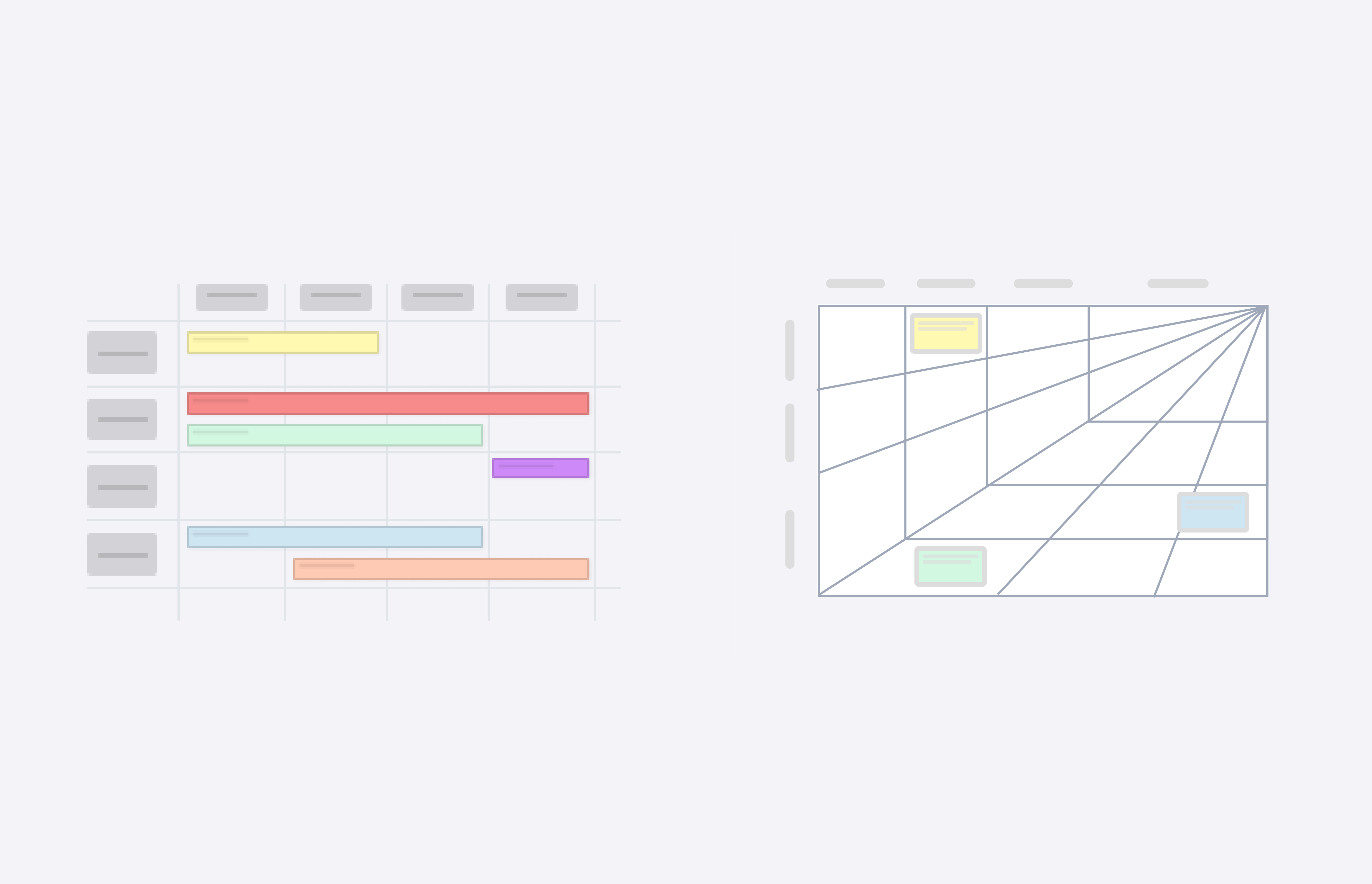
CardBoard ships two roadmap map types. The product roadmap is the grid on the left: four focus-area rows and four columns for the 3-, 6-, 9-, and 12-month horizons, with cards stretched as bars across the horizons they span. The horizon roadmap is the one on the right, built on McKinsey’s Three Horizons: the core business you’re sustaining, what’s emerging, and what’s transformational. Pick the grid if your question is “when.” Pick the horizons if your question is “how far from what we do today.”
Here’s how to fill in the grid.
1. Write the why before you draw a single bar
Start with strategy: the goal, and the initiatives that serve it. Put it at the top of the board in a text sticker, where nobody can scroll past it.
If you can’t write the goal in one sentence, you aren’t ready to roadmap. You’re ready for a longer meeting about the goal, which is fine, and a lot cheaper than a roadmap built on three goals that disagree.
2. Review the ideas and say no to most of them
Customers and your own team will hand you more ideas than you can build. A few serve the goal. Rank them against the goal from step 1, not against how loudly they were requested.
On an online whiteboard, everyone can weigh in without waiting for a turn. In CardBoard, reactions are the quick signal (“I’m in,” “this needs a conversation”). For a hard ranking, use a prioritization matrix board instead of counting thumbs.
Ideas that don’t make it go in a parking lot, not in the 12-month column. The 12-month column is where ideas go to be politely ignored, and everybody knows it.
3. Define the features somewhere other than the roadmap
If the strategy is the why, features are the what, and the what gets built from user stories with the specific requirements developers need.
That detail doesn’t belong on the roadmap. It belongs on a user story map, where the user’s steps run left to right and releases are sliced top to bottom. They’re separate boards because they answer different questions: the story map says what a release contains, and the roadmap says which release comes next and why. Each roadmap bar should point at a slice of a story map, not reproduce it.
In CardBoard, a card carries a description and acceptance criteria, so the bar can say one thing on the front and hold the rest underneath.
4. Place focus areas and horizons, then let precision fall off
Label the four focus-area rows with the themes from step 1. Place each feature in its row and stretch it across the horizons you expect it to take.
Precision should drop as you move right. The 3-month column can name features, and the 6-month column names bets. By 12 months you’re naming problems you intend to solve. If your 12-month column is as detailed as your 3-month column, one of them is fiction, and it’s probably not the 3-month one.
5. Choose a view for each audience
Every time you share a roadmap, decide who’s looking and what they need. Executives want the focus areas and horizons, while the team needs the story map behind each bar. Customers need far less than either, and never the dates you didn’t write.
In CardBoard, guests are free on every plan, and a board’s Viewer role lets someone read without rearranging. That makes it cheap to give each audience its own board rather than one board with a note that says “please don’t move anything.”
Didn’t find what you need? Visit our Help Center to find answers or get in contact with our team.
Ready to try CardBoard for yourself? Create a free account. Three boards, no credit card.