How to choose an online whiteboard (and how to leave one)
On September 10, 2026, Bending Spoons agreed to buy Miro for about a tenth of what it was worth in 2022.
If your team plans in Miro, that’s unsettling news. Nothing about your boards changed that day. What changed is that you started wondering where they’d go if something did, and how you’d get them out.
It’s a fair thing to wonder, because whiteboards do go away. In September 2023, Google announced it was winding down Jamboard. On October 1, 2024, every jam went read-only, and on December 31 the app shut down and took anything nobody had backed up with it. The 2021 version of this guide, written a few years before I bought CardBoard, had recommended Jamboard as a “good free option with minimal features.” The features stayed minimal right to the end.
Nobody picks a whiteboard by thinking about how they’ll leave it. The 2021 guide asked what a tool does on the day you sign up, and never once asked what happens on the day it gets sold or shut down.
So this is that guide, rewritten for anyone weighing a move. It asks the same five questions in a better order, with the one the old version underrated moved to where it belongs.
The shortlist, minus one
Here’s who we’d look at today. Most have a free tier, so try two before you commit to one.
- CardBoard: typed maps, user story maps first, synced both ways with Jira and Azure DevOps. We’re biased. You knew that.
- Miro: the general-purpose canvas, with a very large template library.
- FigJam: Figma’s whiteboard, and the natural pick if your designers already live in Figma.
- Microsoft Whiteboard: part of Microsoft 365, good on Windows hardware and Surface Hub devices.
- Lucidspark: Lucid’s whiteboard, a sibling of Lucidchart. FigJam, Lucidspark, and Miro were the three tools Google pointed Jamboard users toward.
If you’re choosing specifically for story mapping, we compared those tools separately in the best user story mapping tools.
Decide what you’ll put on it before you compare anything
The 2021 guide asked this last. It should go first, because the answer decides everything else.
A blank canvas is a wonderful feature for about three weeks, and then every board looks like the inside of a kitchen drawer. So write down the two or three jobs the whiteboard actually has to do. The common ones:
- Brainstorming and ideation, collecting ideas from the whole team at once
- Taking notes in meetings, so decisions and action items sit where people can see them
- User story mapping, laying out what the user does in order and slicing it into releases
- Agile planning: program increment planning, sprint planning, retrospectives
- UX research and design, with personas, empathy maps, and journey maps
- Team collaboration, from icebreakers to making sure the quiet people get heard
- Discovery workshops, where a room full of people builds or rethinks a product
Each job implies things the canvas has to hold. Brainstorms and story maps run on sticky notes. Flowcharts need connectors and shapes. Retros need some way to vote or react. Research needs room for screenshots and the PDF nobody wants to retype, and almost everything needs plain text somewhere on the board.
Then comes the judgment call. If your jobs are mostly freeform, pick the best blank canvas and move on. If they have a shape, like a story map or a kanban or a retro, the tool should know the shape. In CardBoard you choose a map type when you create a board. There are a couple dozen, from user story map and kanban to persona, mind map, process map, and a plain freeform canvas. The map type decides what a card’s position means, so a story map is still a story map after the fifth person has touched it.

Test how other people get in
Unless you plan on whiteboarding alone, the collaboration is the product. Some tools bring their own audio and video, and others expect you to share your screen in Zoom, Teams, or Google Meet. Either way, test it with a second person. Two of you should be able to add sticky notes at the same time without tripping over each other.
Then look at how people get invited. Some tools make everyone create an account before they can see a board, and some can’t make anyone read-only.
The quiet question inside this one is price. If every stakeholder who wants to look at the roadmap is a seat you pay for, people will stop getting invited, and the board will slowly turn into a private document with nice colors.
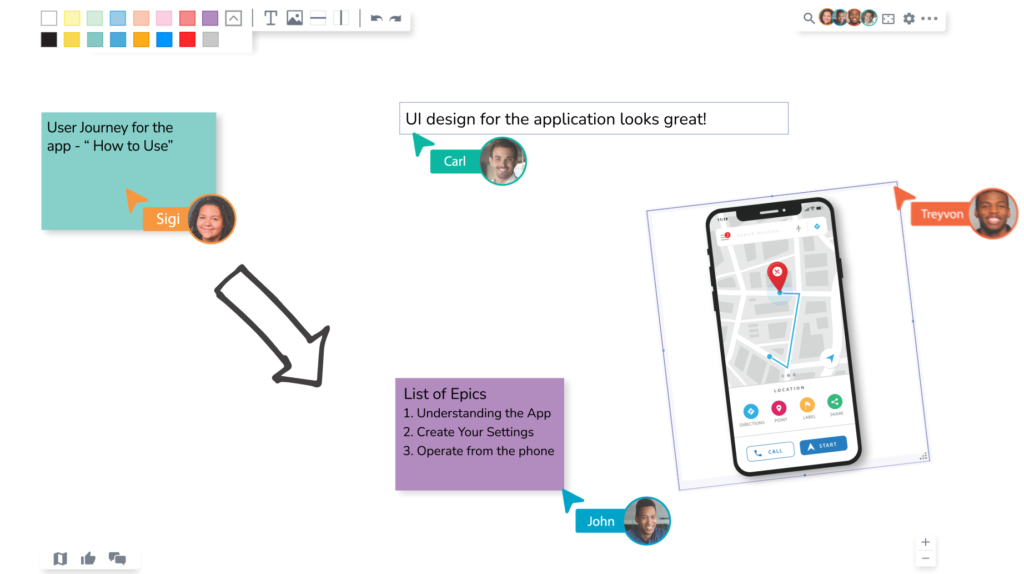
In CardBoard, guests are free on every plan. You pay for members, the people who create boards and push changes to your tracker. Each board has Manager, Editor, and Viewer roles, so a stakeholder can watch without moving anything. The details are in permissions.
Find out where the data lives
Security is easy to overlook, because the cloud is convenient and breaches happen to other people until they don’t. Ask the vendor:
- Where will my data be stored?
- Is it encrypted in transit and at rest?
- Do you offer single sign-on (SSO)? SSO lets your team sign in through your company’s identity provider, so nobody makes a new password. Your IT department will ask.
- If you work in a regulated environment, can the tool run in AWS GovCloud or an equivalent?
- Will you share your security policies and procedures?
- Will you notify me if there’s a data breach?
- What’s your disaster recovery plan? The last thing you want is to log in and find your boards gone.
Jamboard’s boards didn’t disappear in a breach, for the record. They were scheduled.
For CardBoard’s answers (US-region hosting, TLS on every connection, SAML SSO, and who to email for the rest), see security and compliance.
Work out how you’d leave
This is the one the 2021 guide underrated. It treated export as a way to save a nice picture of your masterpiece, when it’s really the answer to what happens to your work if the tool goes away.
There are two kinds of export, and they answer different questions. A picture of the board is for sharing. PNG is fine for a slide, and a vector format like PDF or SVG stays sharp when you zoom in, because it stores paths instead of pixels. But a picture is useless for moving. It’s a souvenir.
The data on the board is what lets you leave. A text format like CSV gets your cards into a spreadsheet or another tool. An API lets developers pull data out or push it in, which is how integrations and automations get built. During your trial, export a real board and open the file to see what came with it.
CardBoard exports a board’s cards, stickers, and dividers to CSV, and paid plans can export a board to PDF. There’s a REST API, plus an MCP server so AI agents can read your maps. The CSV page also lists what a round trip loses: reactions, comments, and tracker links. We’d rather you read that on a docs page than find out in the last week of a shutdown notice.
Import runs the same way. A board that leaves another tool as a spreadsheet of cards can land in CardBoard through the same CSV format, with colors, positions, and descriptions intact.
Ready to try CardBoard for yourself? Create a free account. Three boards, no credit card.
Didn’t find what you need? Visit our Help Center to find answers or get in contact with our team.